
Description
Welcome to the definitive solution for managing events on your WordPress site. While the free version of The Events Calendar provides a powerful foundation, The Events Calendar Pro transforms your site into an enterprise-grade event publishing platform. Designed for scalability and unparalleled user experience, this premium plugin is essential for anyone who hosts regular, multi-day, or complex events. From advanced calendar views to powerful custom recurrence rules and premium developer support, upgrading to The Events Calendar Pro is the clearest path to professional, stress-free event management.
Key Features
The Events Calendar Pro builds upon the free core plugin with essential professional-grade tools:
- Premium Support Access: Get direct, one-on-one assistance from the official developer team, ensuring your calendar setup and customizations are always backed by experts.
- Venue & Organizer Views: Create dedicated landing pages for specific venues and event organizers, enhancing internal linking and improving SEO visibility for location-based searches.
- Advanced Widget Suite: Utilize new widgets for countdown timers, featured events, and advanced mini-calendar displays in your sidebars and footers.
- Custom Fields & Post Types: Easily add extra information to your events using custom fields, making your calendar content richer and more useful to your audience.
Pro Features
Unlock the true power of The Events Calendar Pro with its most advanced capabilities, built for serious event organizers:
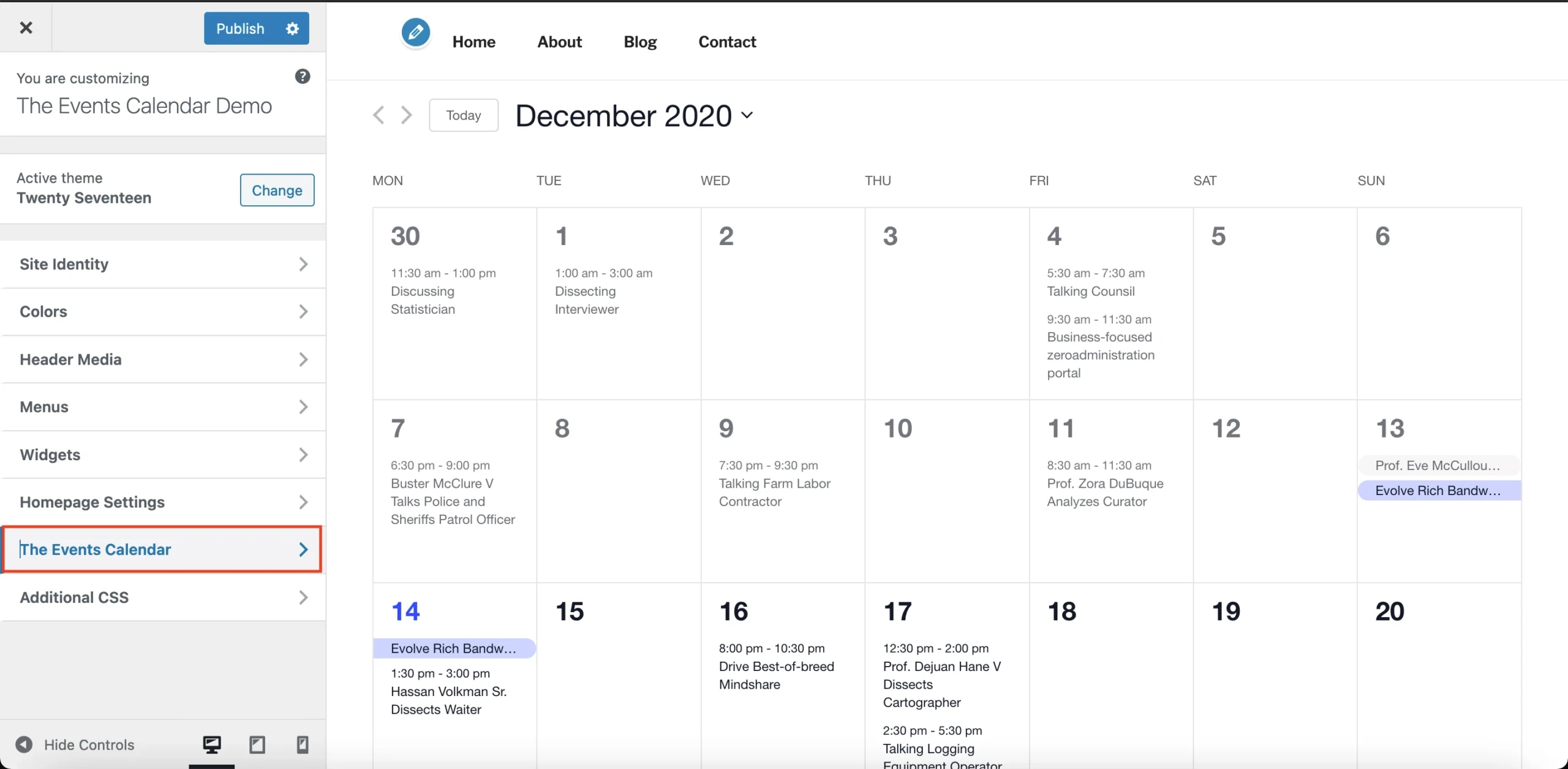
- Robust Recurring Events: Easily set up complex recurring schedules, including monthly on the 3rd Tuesday, every other week, or custom recurrence rules that perfectly match your schedule.
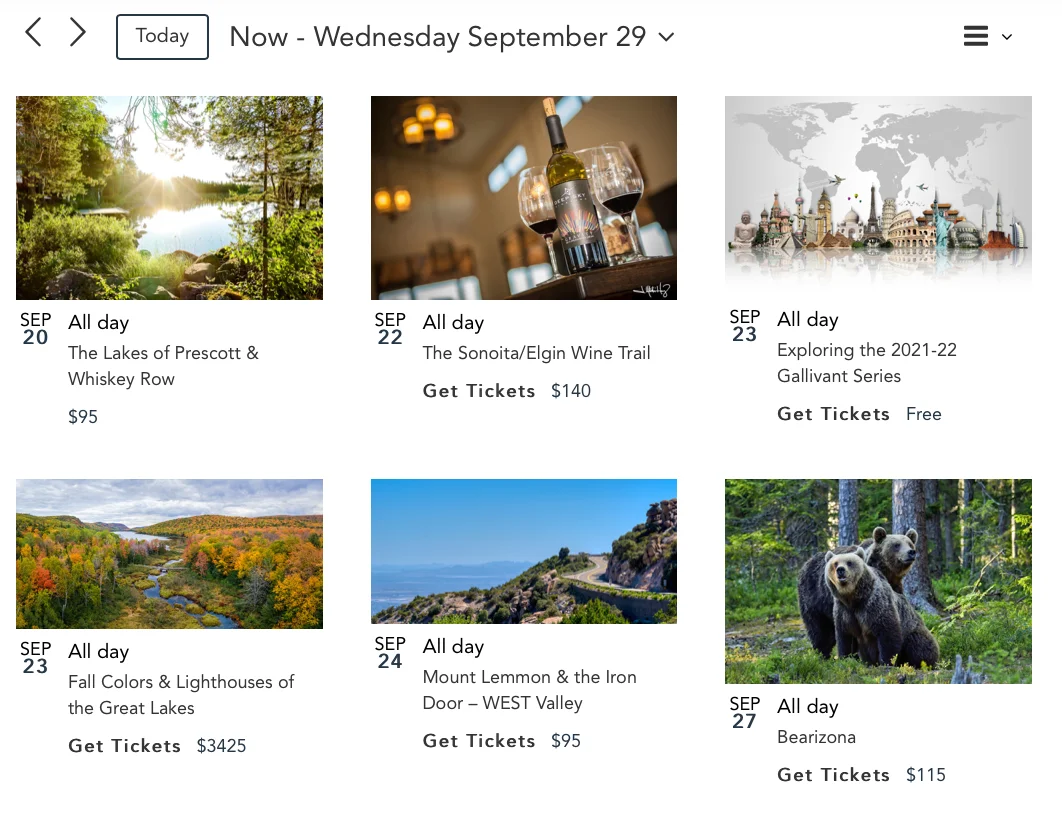
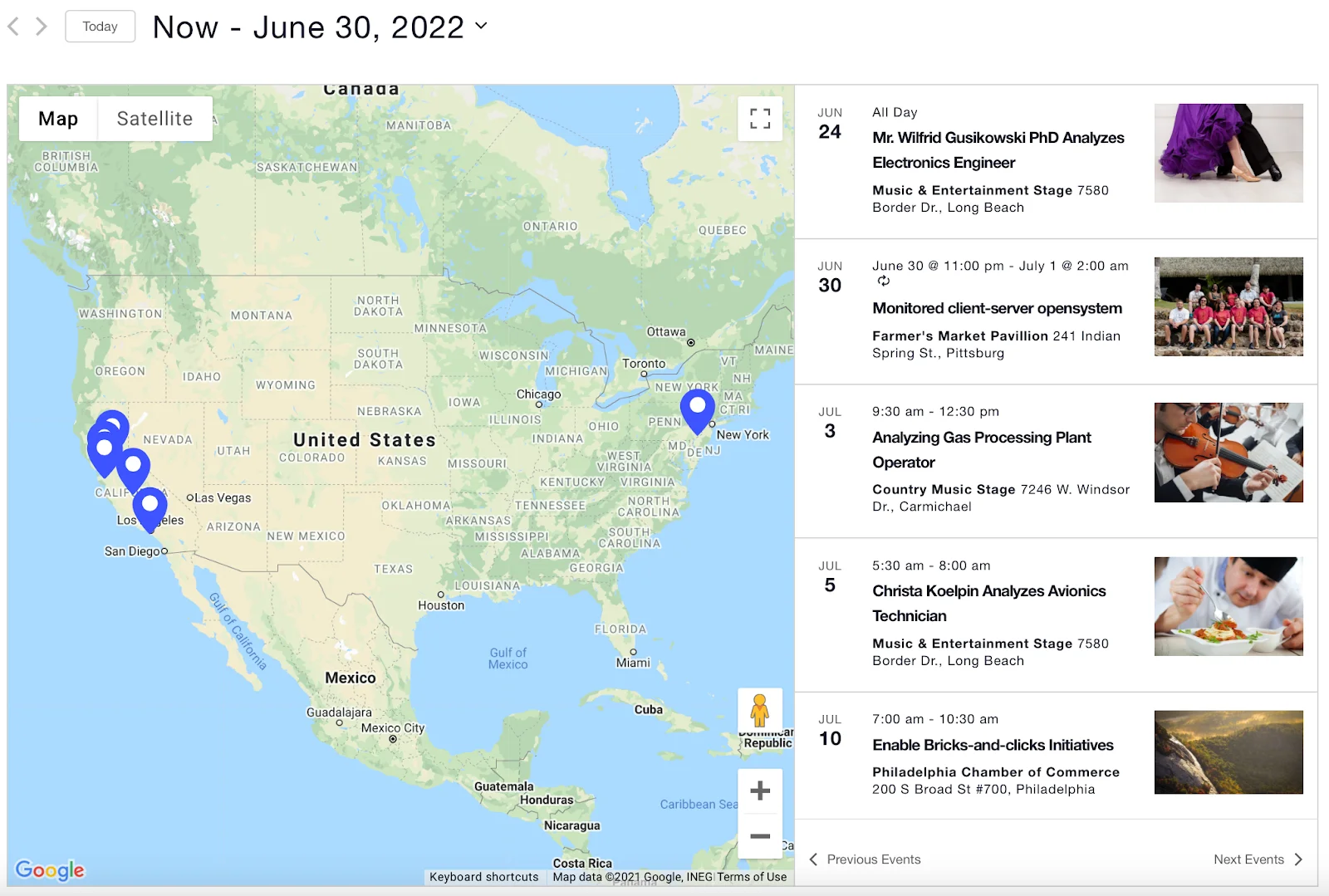
- Additional Calendar Views: Move beyond the standard month and list views with the highly visual Photo View, geographically useful Map View, and the convenient Week View.
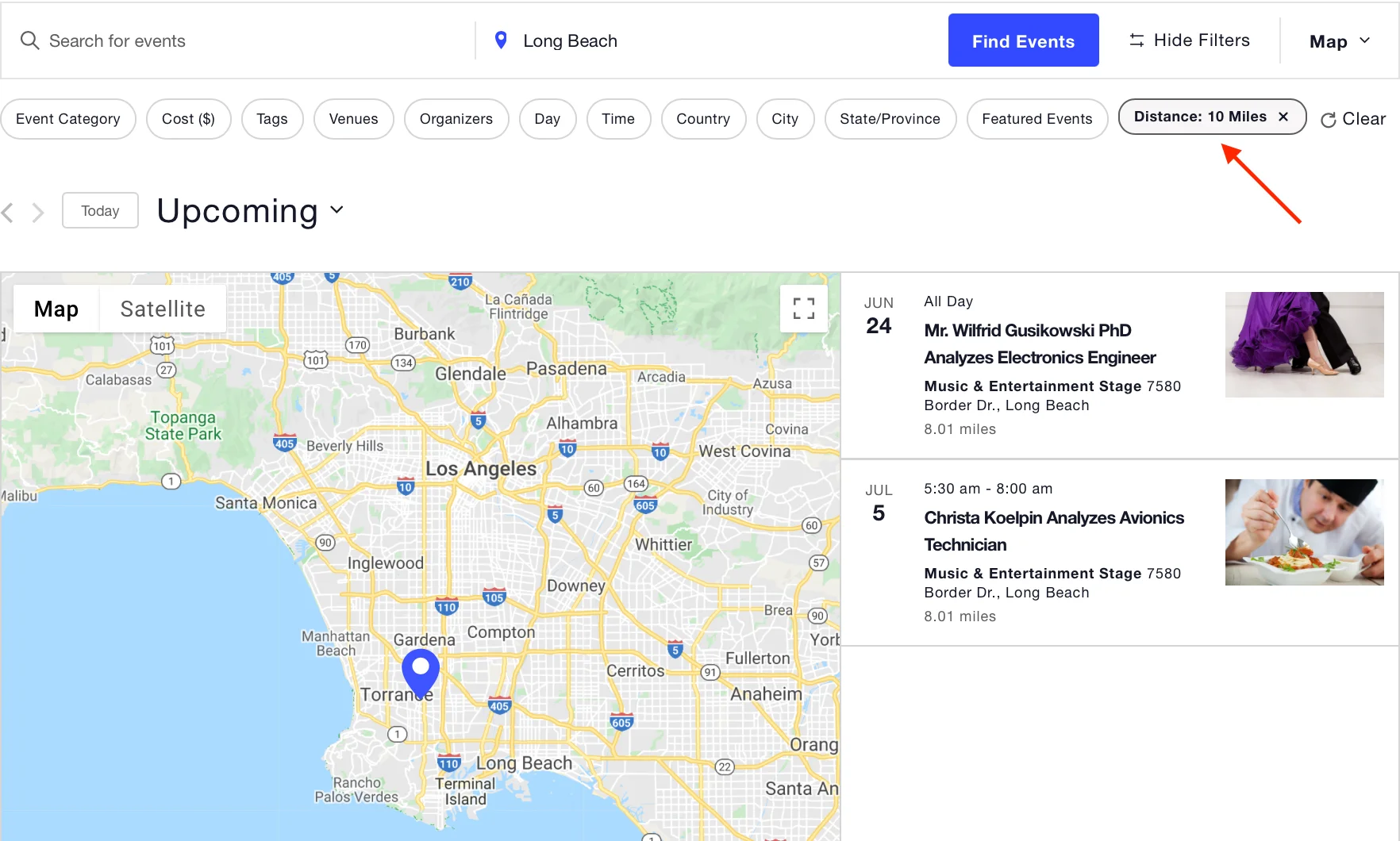
- Advanced Location Search: Implement a powerful, geo-targeted search feature that allows users to find events by distance from a specific location, boosting local SEO relevance.
- Elementor Widget Compatibility: Seamlessly integrate your event listings and calendars into Elementor-built pages using dedicated Pro widgets for flawless visual design.
WooCommerce Integration
When paired with the official Event Tickets Plus addon, The Events Calendar Pro works perfectly with your WooCommerce store to create a complete event registration and ticketing ecosystem.
- Ticket Sales via WooCommerce: Use WooCommerce products to sell tickets for your events, leveraging all of WooCommerce’s payment gateways, tax settings, and inventory management.
- Attendee Management: Track RSVPs and ticket sales directly within your WordPress dashboard and generate attendee lists for easy check-in.
- Custom Registration Fields: Collect specific information from attendees during checkout using custom WooCommerce checkout fields powered by the event ticketing extensions.
Setup & Installation
Installing The Events Calendar Pro is a simple, three-step process designed to get your professional calendar live quickly.
- Install Core Plugin: Ensure the free version of The Events Calendar is installed and activated from the WordPress Plugin Repository.
- Download Pro Files: Purchase and download the
.zipfile for The Events Calendar Pro from your account on the Our website. - Upload & Activate: Navigate to Plugins > Add New > Upload Plugin in your WordPress dashboard, upload the
.zipfile, and click Install Now.
How to Install & Configure
For beginner and non-technical users, setting up the premium features of The Events Calendar Pro is intuitive:
- Create a New Event: Go to Events > Add New. You will immediately see the familiar WordPress editor with new Pro-exclusive fields.
- Set Recurrence: In the right-hand panel, find the Event Series section. Click to enable recurring events and select one of the simple pre-sets (e.g., Weekly, Monthly) or the Custom option for complex rules.
- Advanced Views: The Pro views (Photo, Map, Week) are automatically available. To display them, simply use the provided shortcodes or blocks in a new page, or navigate to Events > Settings > Display to choose your default view.
- Premium Support: Access your dedicated support portal via the plugin settings when you need expert help with your The Events Calendar Pro installation.
Mobile-Friendly & UX Experience
The Events Calendar Pro is engineered for optimal performance across all devices, ensuring a flawless user experience (UX) for your visitors.
- Full Responsiveness: All calendar views, including Photo, Map, and List, automatically adjust layout and presentation for perfect display on smartphones, tablets, and desktops.
- Optimized Mobile Flow: The mobile flow prioritizes quick loading of event details and clear Call-to-Action buttons (like ‘Buy Tickets’), minimizing scrolling and maximizing conversions on the go.
- UI/UX Benefits: The clean, modern user interface (UI) ensures visitors can easily navigate, filter, and search for events, contributing to lower bounce rates and higher engagement across your entire site.
Performance & Scalability
As a professional-grade solution, The Events Calendar Pro is built for high-traffic sites and large event databases.
- Speed Optimization: The plugin employs efficient database queries and lightweight front-end assets to minimize load times, even with thousands of events, maintaining Google PageSpeed scores.
- Database Usage: Events are stored as standard WordPress Custom Post Types, ensuring efficient database management and high compatibility with standard WordPress practices.
- Compatibility with Caching/CDN: It is fully compatible with popular caching plugins (like WP Rocket and LiteSpeed Cache) and Content Delivery Networks (CDNs), allowing you to serve your event content globally at maximum speed.
- Scalability for Large Stores: Whether you manage ten events or ten thousand, The Events Calendar Pro maintains fast performance, making it the ideal choice for universities, large corporations, and multi-venue organizations.
Pricing
- Original Price: $49.50 + / Yearly | Visit Site
FAQ
Here are the top 10 frequently asked questions about The Events Calendar Pro:
- What is the difference between The Events Calendar and The Events Calendar Pro? The free version provides core event creation; The Events Calendar Pro adds premium features like recurring events, advanced views (Map, Photo, Week), location search, and dedicated premium support.
- Does The Events Calendar Pro support complex recurring events? Yes, the Pro version is specifically designed to handle highly complex recurring events with custom schedules (e.g., ‘last Sunday of the month’).
- Is The Events Calendar Pro compatible with WooCommerce for ticketing? Absolutely. When paired with the Event Tickets Plus add-on, The Events Calendar Pro seamlessly integrates with WooCommerce for ticket sales and management.
- Can I import events into The Events Calendar Pro? Yes, you can import events using the Event Aggregator service (a separate add-on) from sources like Meetup, Eventbrite, Google Calendar, and CSV files.
- Does The Events Calendar Pro include a Map View? Yes, the Map View is one of the premium calendar views exclusive to The Events Calendar Pro, utilizing Google Maps integration.
- Is The Events Calendar Pro developer-friendly? Yes, the plugin is highly extensible with a massive library of hooks, filters, and template tags for deep customization by developers.
- Can I use Elementor with The Events Calendar Pro? Yes, the Pro version includes dedicated Elementor widgets for easily embedding and styling your events and calendars within Elementor layouts.
- Will installing The Events Calendar Pro slow down my WordPress site? No, it is built with performance in mind, employing efficient database management and is fully compatible with popular caching solutions for speed optimization.
Related Category
Related
Luca Fernández –
The Events Calendar Pro 7.7 is an outstanding plugin for managing recurring events, schedules, and advanced event features on WordPress. Its clean interface, powerful customization options, and seamless integration with themes make it ideal for business events, classes, workshops, and community calendars. I downloaded it from AffordableGPL, and the plugin worked beautifully—authentic files, smooth installation, and a very affordable price. Highly recommended for anyone looking to upgrade their event management system.