
Description
Uncode WordPress Theme 2.10 – The Pixel-Perfect Creative Multiuse & WooCommerce Solution
The search for a truly versatile and high-performance foundation for your creative project ends here. The Uncode WordPress Theme is a pixel-perfect, top-selling multipurpose theme engineered to meet the demands of agencies, freelancers, artists, and serious e-commerce businesses. Unlike other complex themes, Uncode is built with an obsessive focus on detail and performance, offering an advanced grid system, dynamic content options, and a revolutionary Content Block feature. Choose the Uncode WordPress Theme to unlock unparalleled creative freedom and build a fast, visually stunning, and scalable website that truly stands out in a crowded digital landscape.
Key Features
-
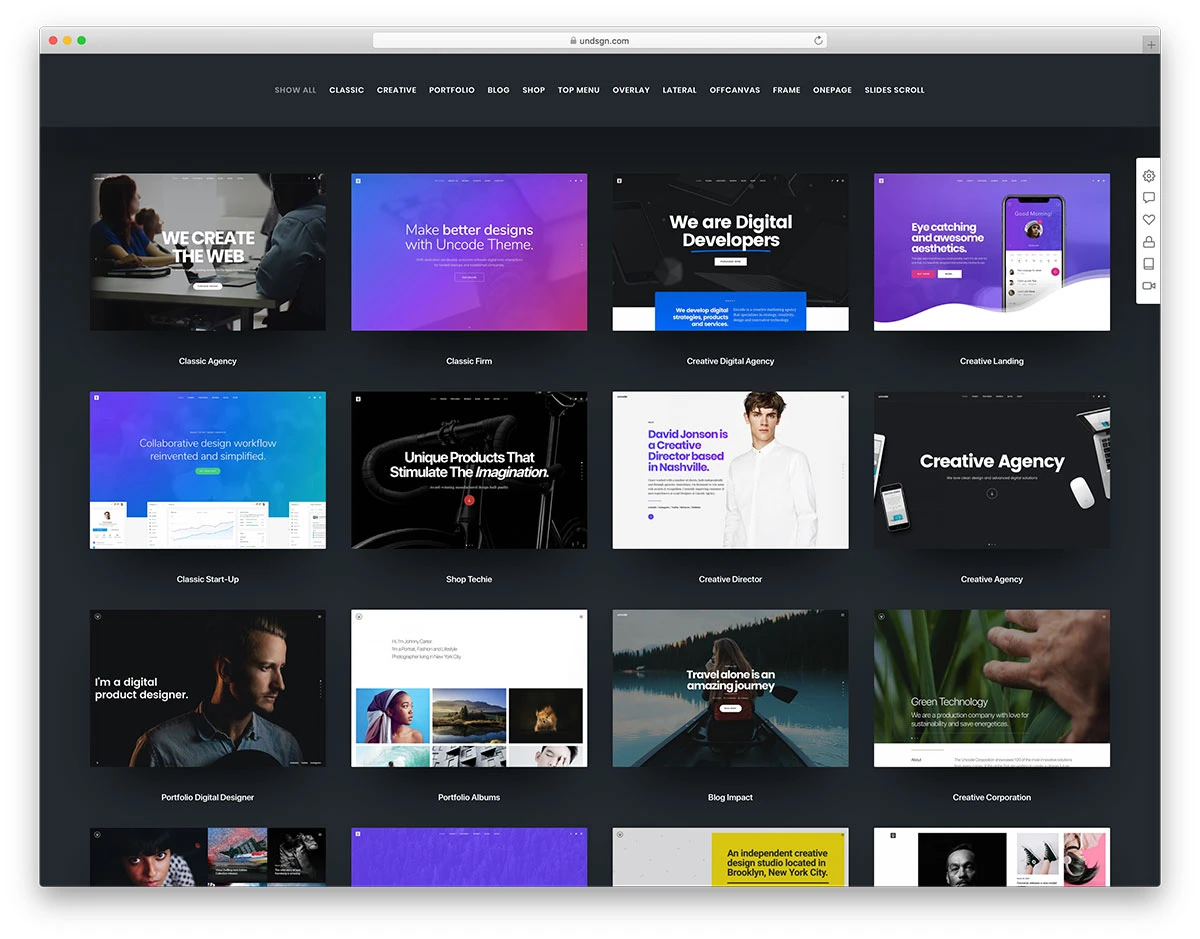
100+ Customizable Demos: Effortlessly launch your site with a single click using a vast library of professionally designed templates for any niche, all built with the Uncode WordPress Theme.
-
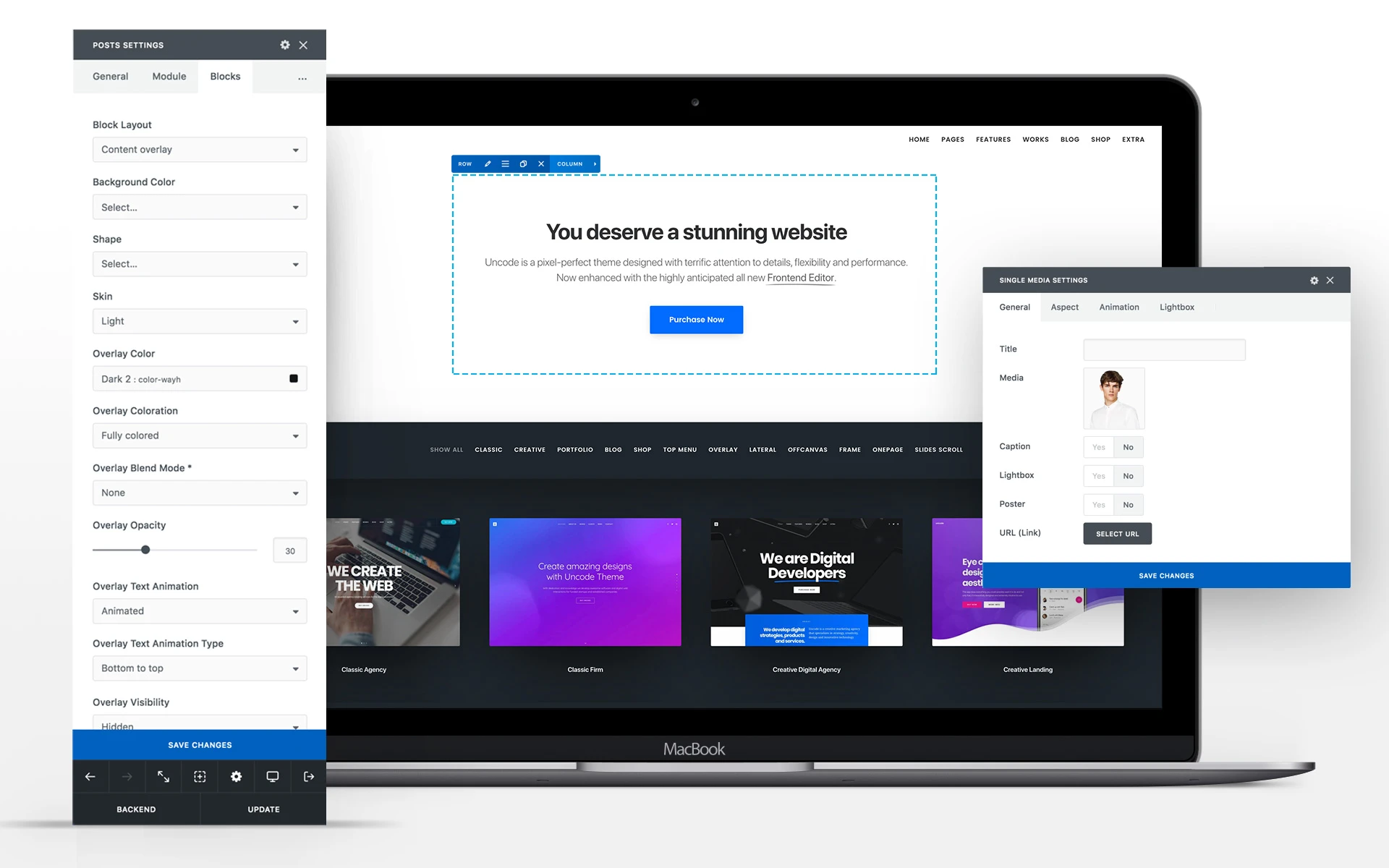
Enhanced WPBakery Page Builder: Enjoy a custom, powerful version of WPBakery for both Frontend and Backend editing, providing a fast and intuitive design experience tailored specifically for the Uncode system.
-
Adaptive Images System: Automatically detect the visitor’s screen size and serve the scaled-down image version, ensuring your creative portfolio loads quickly and remains pixel-perfect on every device.
-
Content Block Feature: Create reusable custom sections (headers, footers, post archives) once and apply them globally or conditionally across your site—a unique tool to build dynamic layouts with the Uncode WordPress Theme.
-
Superior Grid System: Utilize an advanced and highly flexible grid layout, offering full-width, vertical alignment, and gap controls for creating cutting-edge, professional designs.
Pro Features
The Uncode WordPress Theme is packed with advanced capabilities designed for professional development and scale:
-
Wireframes Plugin (800+ Templates): Quickly assemble pages using over 800 pre-designed section templates, saving hundreds of hours on layout construction and design work.
-
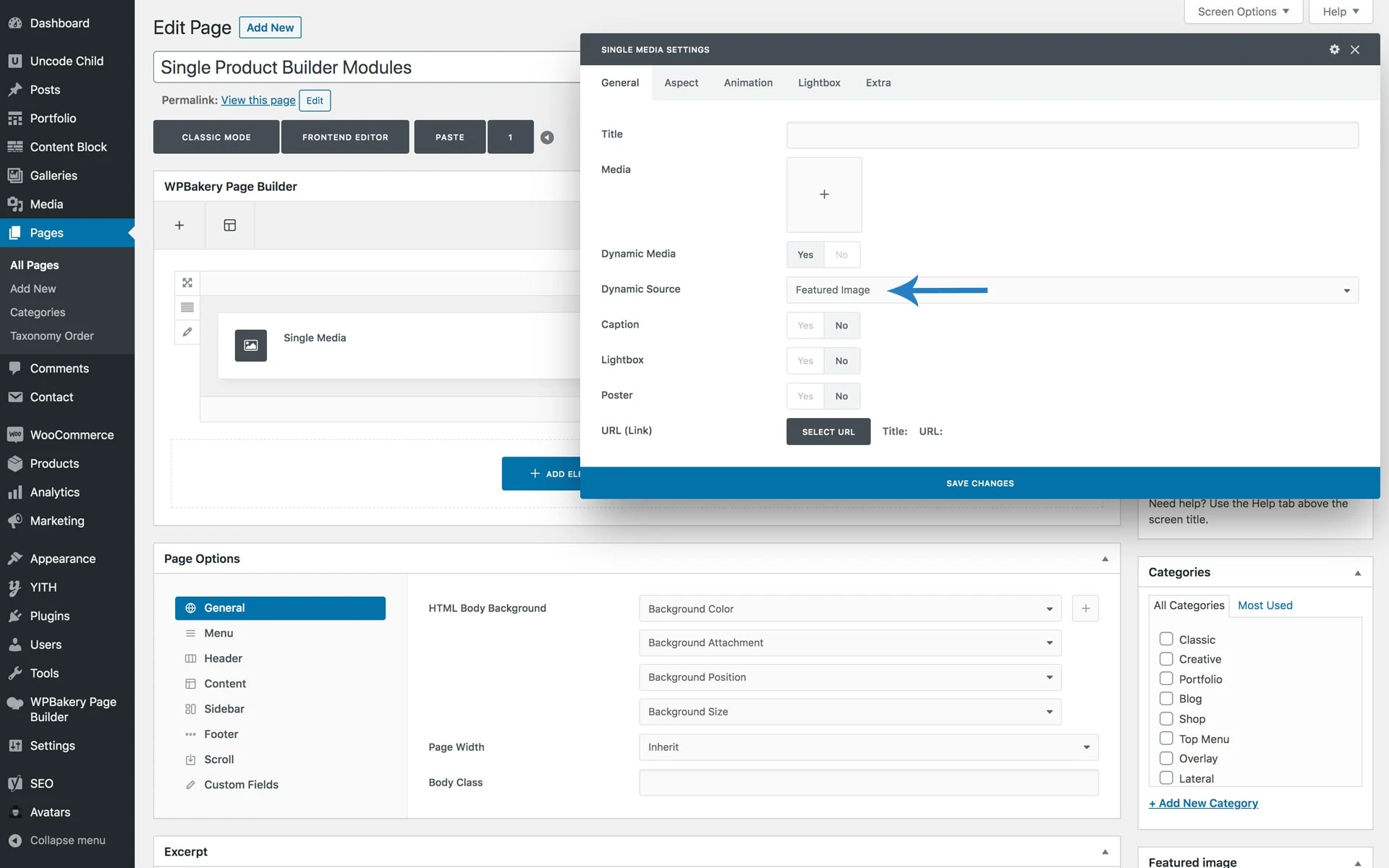
Dynamic Content: Create dynamic templates for posts, portfolios, and products, pulling data directly from WordPress and custom fields to maintain design consistency across all similar content types.
-
Privacy Plugin (GDPR Compliant): Built-in tools for managing cookie consent, privacy policy linking, and content fallbacks to help ensure your website is compliant with international data regulations.
-
LayerSlider and Revolution Slider Included: Get two of the most popular premium WordPress slider plugins for free, enabling you to create stunning, engaging hero sections and slideshows.
-
Custom Mega Menu Builder: Design advanced, multi-column dropdown menus with rich media content directly inside the theme options, enhancing navigation and user engagement.
WooCommerce Integration
The Uncode WordPress Theme is an outstanding foundation for any e-commerce venture, offering deep, native compatibility with WooCommerce for a stunning online store.
-
Dedicated Single Product Builder: Take full control over your product page layouts with custom options like Product Zoom, Carousel, and Stack Layouts, providing a unique shopping experience.
-
Advanced Shop Layouts: Choose from creative shop layouts including Overlay Filters, Horizontal Filters, and custom Pattern Grids to perfectly showcase your merchandise.
-
Custom Cart & Checkout Pages: Style every step of the conversion funnel with multiple designs for the Cart and Checkout pages, improving trust and reducing cart abandonment.
-
Shop Utilities: Includes pre-built pages for Login/Register, Empty Cart, and Tracking Forms, streamlining the entire customer journey within the Uncode WordPress Theme.
Setup & Installation
Setting up the Uncode WordPress Theme is a straightforward process, thanks to its 1-Click Import system:
-
Step 1: Purchase the Uncode license from the Our Site and download the theme file (a
.ziparchive). -
Step 2: Log into your WordPress Dashboard and navigate to Appearance > Themes. Click Add New and then Upload Theme.
-
Step 3: Select the Uncode theme
.zipfile and click Install Now. Once installed. -
Step 4: You will be prompted to install the required and recommended plugins (like the enhanced WPBakery and Wireframes). Install and activate them.
-
Step 5: Navigate to Uncode > Import Demo Content and choose one of the 100+ stunning demo websites. Use the 1-Click Importer to install the demo content, settings, and media.
- Step 6: Go to Uncode > Theme Options to begin customizing global settings, colors, and typography for your new website.
How to Install & Configure
For beginners, the Uncode WordPress Theme provides a simple route to a professional website:
-
Activate & Install Plugins: After activation, always install the necessary bundled plugins when prompted. These unlock the theme’s core functionality, especially the page builder.
-
Use a Demo: The easiest way to start with the Uncode WordPress Theme is by using a Demo. Pick one that looks closest to your final vision (e.g., Agency, Portfolio, Shop). Importing the demo gives you a complete, pre-configured site.
-
Find the Page Builder: To edit a page, navigate to it on your site and click “Edit with Frontend Editor” (or find the WPBakery button on the backend editor). You can now click on elements like text, images, or sections and edit them visually.
-
Change Global Styles: Use the Theme Options panel (accessible from your WordPress dashboard) to change site-wide settings like your logo, primary brand colors, and default fonts. These options apply universally, saving you from editing every page.
-
Replace Content: In the visual editor, simply click on the demo images and text and replace them with your own brand assets and copy. The structure and beautiful design of the Uncode WordPress Theme remain intact.
Mobile-Friendly & UX Experience
The Uncode WordPress Theme is fundamentally designed for optimal user experience across all devices.
-
Pixel-Perfect Responsiveness: Every element and layout created with the Uncode WordPress Theme is fully responsive and retina-ready, automatically adjusting to look flawless on desktops, tablets, and smartphones.
-
Seamless Mobile Flow: The theme ensures a smooth mobile flow with carefully considered mobile navigation options, stackable columns, and touch-friendly galleries, putting user experience (UX) first.
-
UI/UX Benefits: Features like the Adaptive Images system and optimized layouts contribute directly to better usability (UI/UX). This professional attention to detail ensures low bounce rates and higher engagement, which Google favors for SEO.
Performance & Scalability
As a top-tier multipurpose theme, Uncode WordPress Theme is engineered for speed and enterprise-level scalability.
-
Speed Optimization: The theme includes built-in performance features such as the Dynamic Srcset Images system, which serves appropriately sized images, and lazy loading for media, drastically reducing initial load times.
-
Efficient Database Usage: The underlying code of the Uncode WordPress Theme is clean and optimized, avoiding excessive database queries. This efficient structure ensures the theme remains fast even with large amounts of dynamic content or products.
-
Compatibility with Caching/CDN: The Uncode WordPress Theme is fully compatible with popular performance and scalability tools like caching plugins (e.g., WP Rocket, LiteSpeed Cache) and Content Delivery Networks (CDNs) for high-traffic sites and large WooCommerce stores.
-
Scalability for Large Stores: With its deep WooCommerce integration and dynamic content features, the Uncode WordPress Theme can easily handle thousands of products, making it the perfect choice for growing e-commerce businesses.
Alternatives
Pricing
- Original Price: $59 / Yearly | Visit Site
FAQ
1. What is the Uncode WordPress Theme best suited for? The Uncode WordPress Theme is best suited for creative agencies, freelancers, designers, and any business that needs a pixel-perfect, visually-driven website or a fully functional, high-design WooCommerce store.
2. Is the Uncode WordPress Theme compatible with the Gutenberg editor? Yes, the Uncode WordPress Theme is fully compatible with the native WordPress block editor (Gutenberg) while also including its custom-enhanced WPBakery Page Builder.
3. Does the Uncode WordPress Theme include a page builder? Yes, the Uncode WordPress Theme comes bundled with an enhanced, customized version of the premium WPBakery Page Builder for powerful drag-and-drop design.
4. How many pre-built website demos does the Uncode WordPress Theme offer? The Uncode WordPress Theme offers an extensive library of over 100 professional, pre-built, and customizable demo websites.
5. Is the Uncode WordPress Theme good for SEO? Yes, the Uncode WordPress Theme is built with SEO best practices in mind, featuring clean code, fast performance, and an Adaptive Images system that improves page speed—a critical ranking factor.
6. Can I use the Uncode WordPress Theme to build an online shop? Absolutely. It’s a top-tier WooCommerce WordPress Theme with dedicated features like a Single Product Builder and custom shop layouts.
7. What is the Wireframes Plugin in the Uncode WordPress Theme? The Wireframes Plugin is a bundled feature that gives you access to 800+ professionally designed section templates to quickly build and assemble page layouts.
8. Is the Uncode WordPress Theme GDPR compliant? The theme includes a built-in privacy plugin to help manage cookie consent and other elements, aiding in GDPR and other privacy compliance efforts.
9. Does the Uncode WordPress Theme support multilingual websites? Yes, the theme is fully certified as WPML compatible, making it an excellent choice for building multilingual websites.
10. Is there a free version of the Uncode WordPress Theme available? No, the Uncode WordPress Theme is a premium-only theme available for a one-time fee on ThemeForest, which includes all future updates and support.
Related Category
Reviews
There are no reviews yet.