
Description
The global e-learning market demands a robust, flexible, and scalable platform, and LearnDash delivers. Recognized by major universities and Fortune 500 companies, LearnDash transforms any WordPress site into a professional Learning Management System (LMS). This powerful plugin provides the tools you need to create compelling course content, engage learners through gamification, and manage membership and payments seamlessly. Built by e-learning experts, LearnDash offers unparalleled control, making it the definitive solution for educational institutions and content entrepreneurs seeking the top-tier WordPress LMS plugin.
Key Features
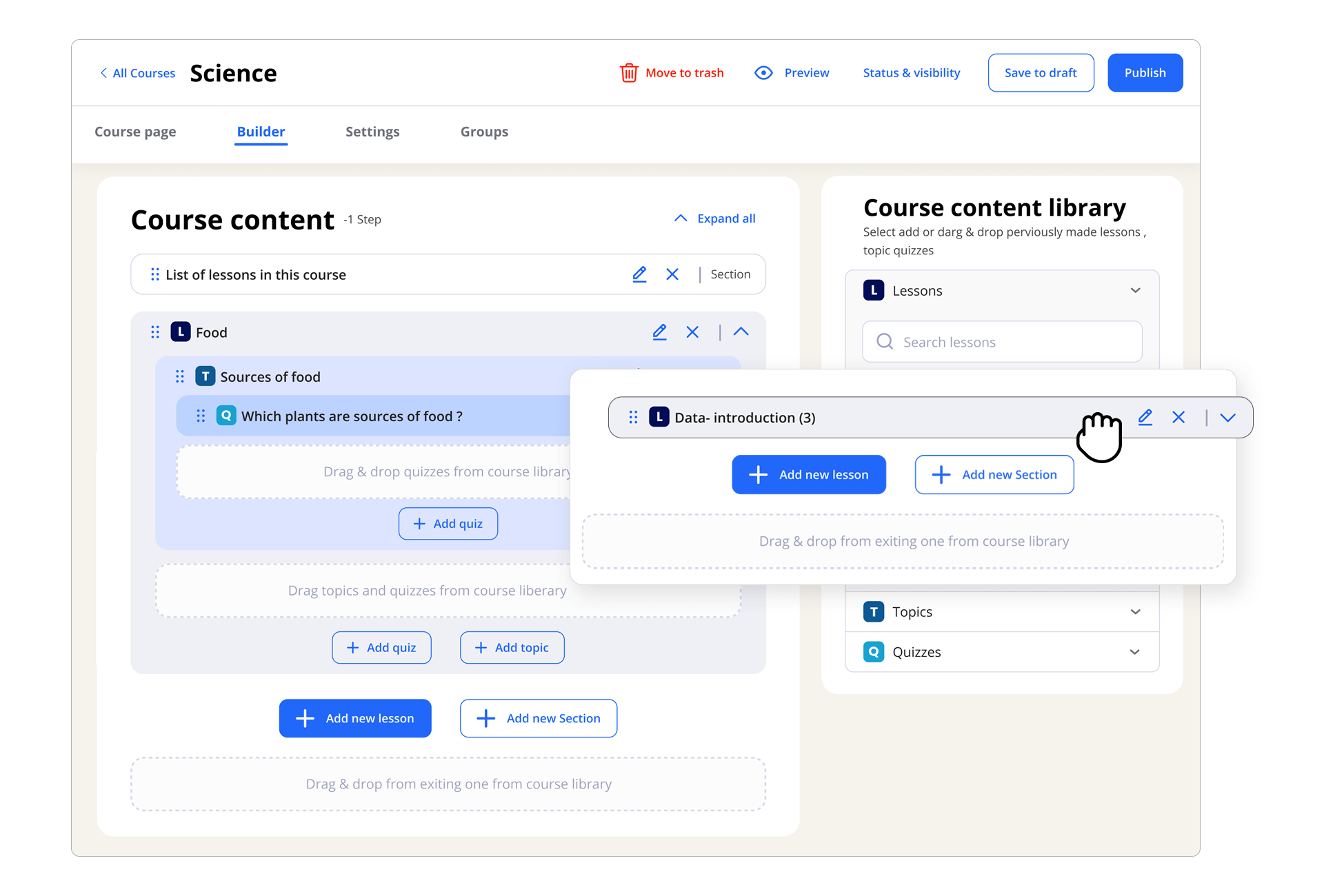
- Drag-and-Drop Course Builder: Easily structure lessons, topics, quizzes, and categories with the intuitive and powerful builder.
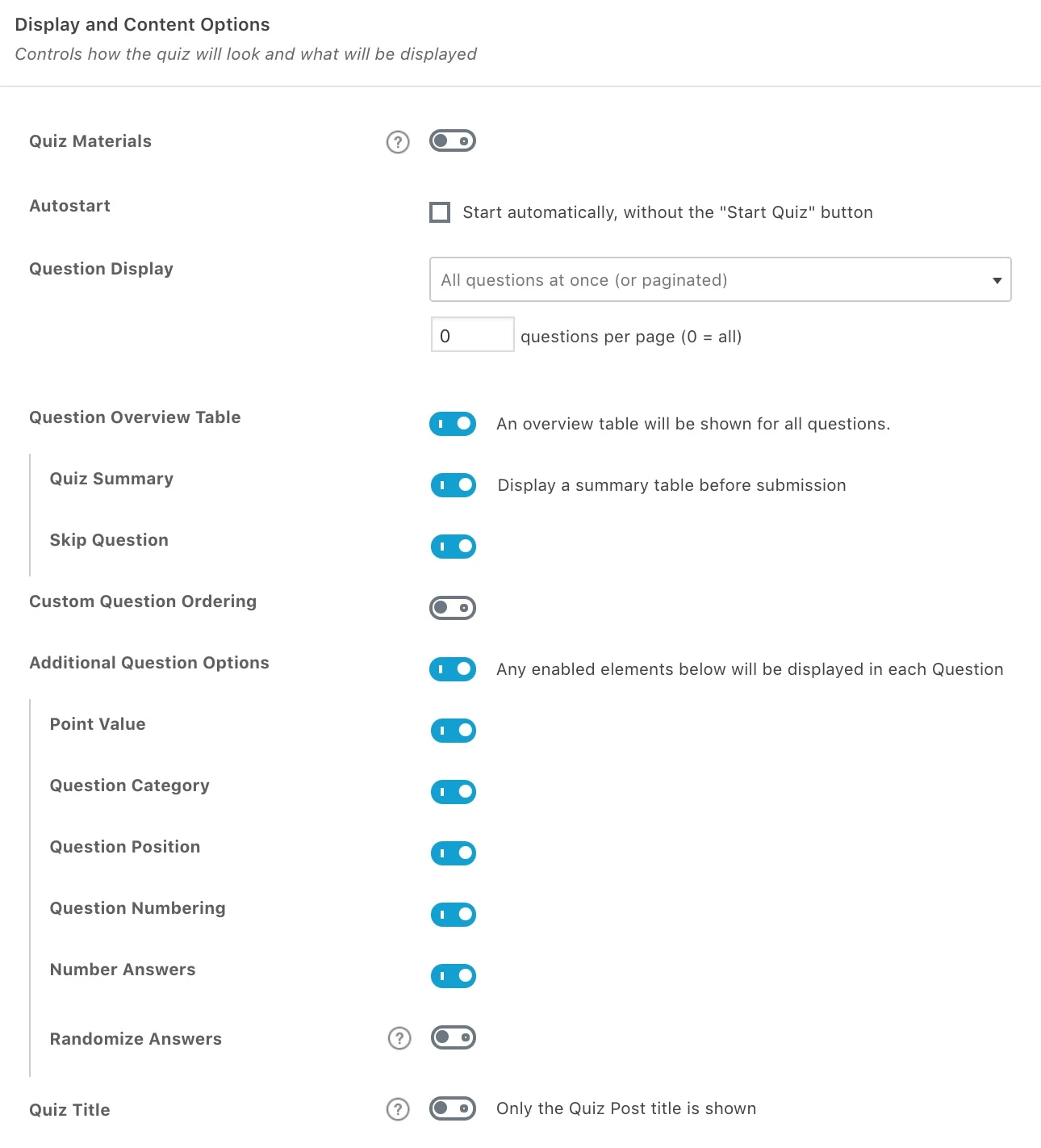
- Advanced Quizzing Engine: Create highly engaging quizzes with 8 question types, timers, hint options, and customizable pass/fail settings.
- Drip-Feed Content: Schedule content to be released based on a student’s enrollment date or a custom timeline, ensuring a controlled learning path.
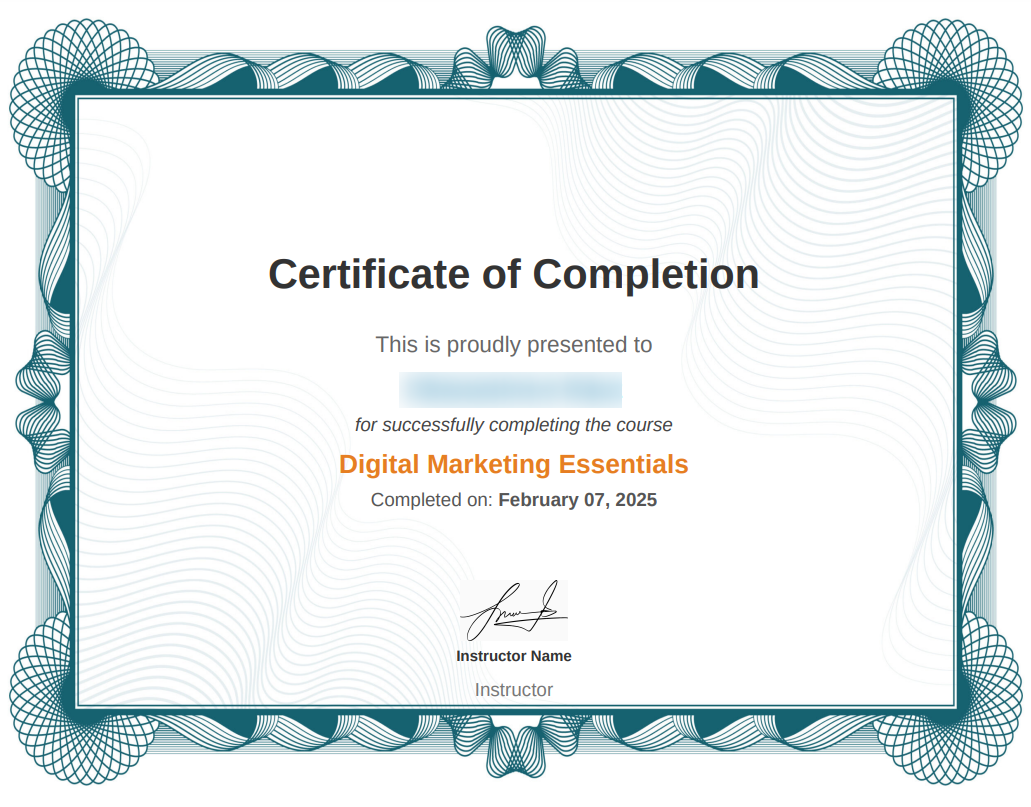
- Certificates & Badges: Increase learner motivation and completion rates with custom, shareable certificates and official course badges.
- Flexible Prerequisite Control: Set course prerequisites and sequential lesson access to ensure students follow the intended progression of the curriculum.
Pro Features
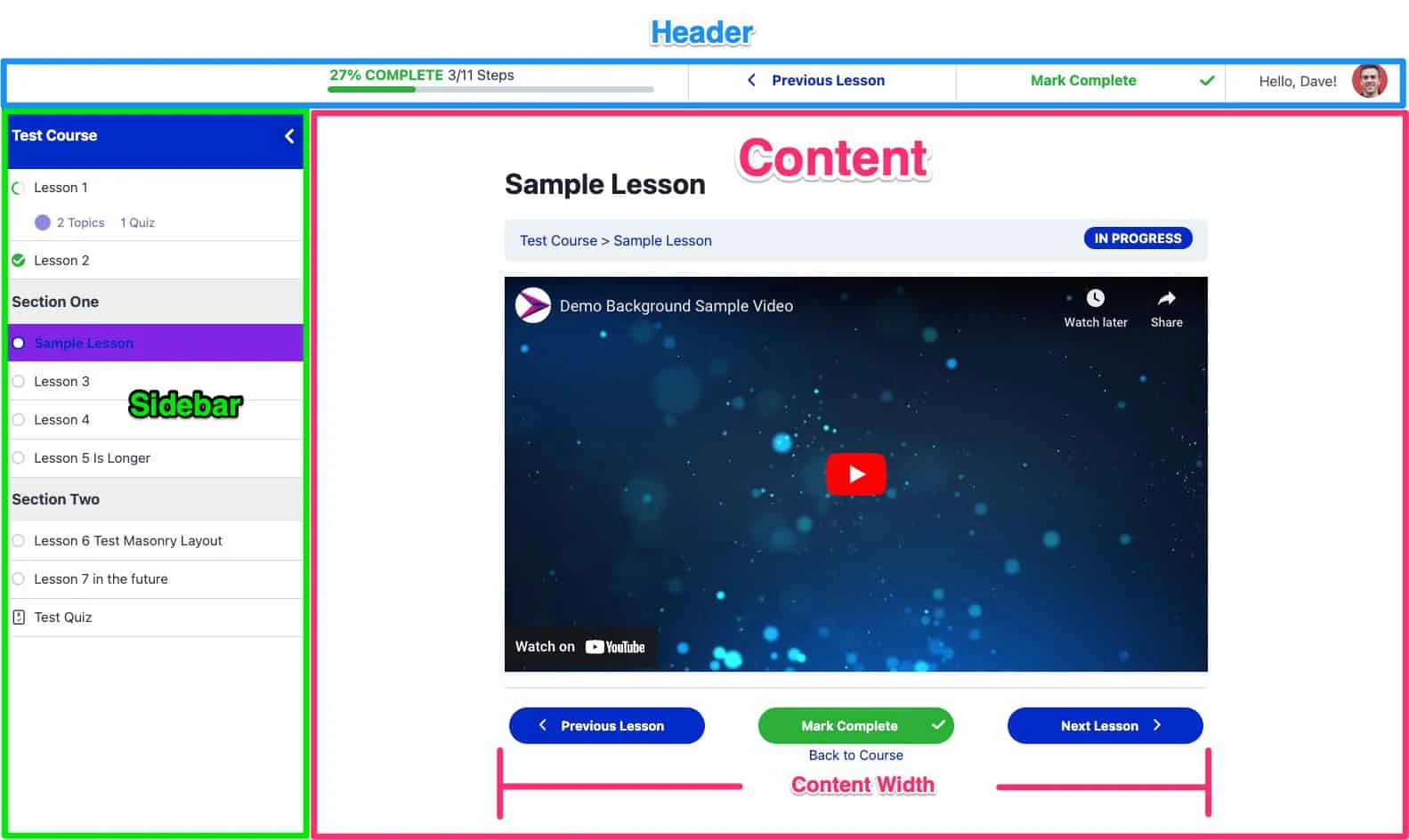
- Focus Mode: A sleek, distraction-free learning environment that eliminates header, footer, and sidebars, maximizing learner retention and completion.
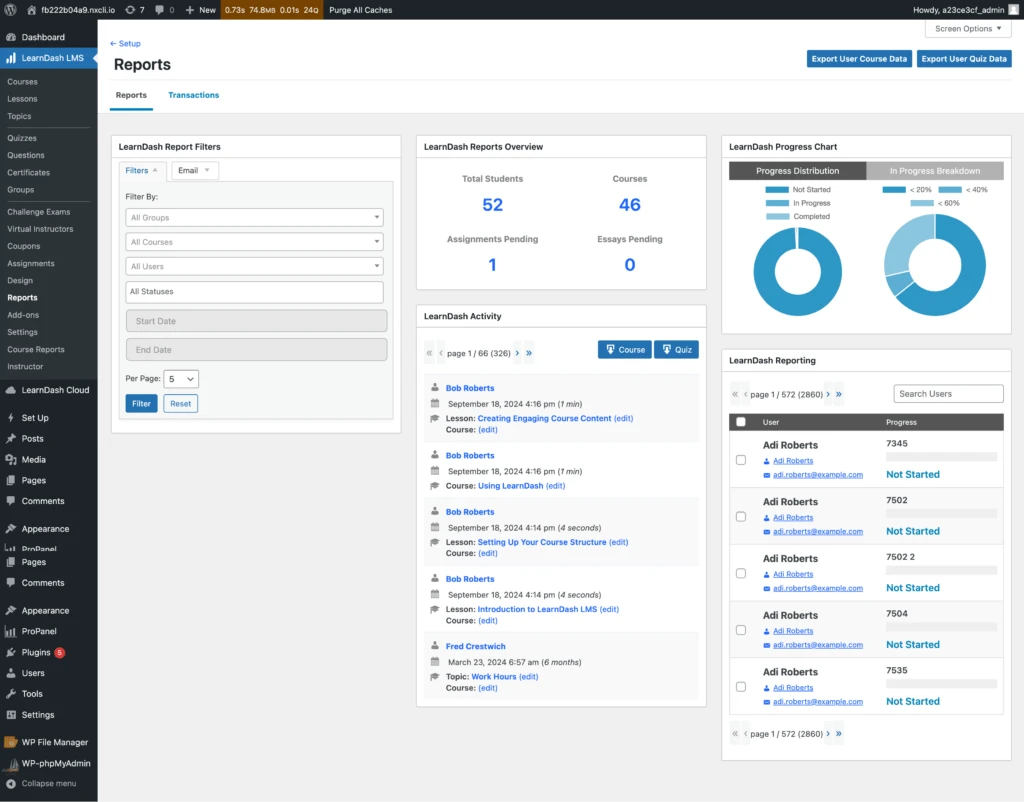
- ProPanel Reporting: Gain actionable insights with advanced reporting, showing student progress, course metrics, and assignment status at a glance.
- Group Management: Assign group leaders who can manage and report on their own subsets of users, ideal for corporate training or institutional use of LearnDash.
- Dynamic Content Display: Show or hide content blocks on any page based on a user’s course enrollment, group, or quiz results.
- Assignment Management: Allow students to upload assignments for review, with the ability for instructors to approve, comment, and award points.
WooCommerce Integration
LearnDash offers powerful, native integration with WooCommerce, the world’s leading WordPress e-commerce platform, enabling diverse monetization strategies.
- Flexible Selling Options: Sell courses individually, as subscriptions, or bundled with other products using WooCommerce’s powerful checkout system.
- Membership Site Compatibility: Easily integrate with membership plugins (like MemberPress) to create protected, layered access to your content.
- Multiple Payment Gateways: Utilize any payment gateway supported by WooCommerce (e.g., Stripe, PayPal, Square) for course sales.
- Affiliate Marketing: Leverage WooCommerce’s extensive ecosystem to run affiliate programs for your courses.
Setup & Installation
Setting up the LearnDash LMS plugin on your WordPress site is a straightforward process:
- Purchase and Download. Buy a license from the official site and download the plugin
.zipfile. - Upload to WordPress. Navigate to Plugins > Add New in your WordPress dashboard, click Upload Plugin, and select the downloaded file. Click Install Now.
- Run Setup Wizard. Use the guided setup wizard to configure the basic settings, including payment integration and course structure.
How to Install & Configure
For non-technical users, configuring LearnDash is made simple through its guided interface:
- Create Your First Course: Go to LearnDash LMS > Courses > Add New. Give your course a title and a description.
- Use the Drag-and-Drop Builder: Click the Builder tab. Here, you can visually create Lessons, Topics, and Quizzes by dragging and dropping them into your course structure.
- Add Content: Click on a Lesson/Topic title in the Builder to edit its content using the standard WordPress editor (Gutenberg blocks).
- Set Pricing: In the Course Settings tab, select a Course Access Setting (e.g., Free, Buy Now, Recurring). If selling, set the price and integrate your chosen payment method (WooCommerce or Stripe).
- Enable Focus Mode: Go to LearnDash LMS > Settings > Design and ensure Focus Mode is enabled for the best learner experience.
Mobile-Friendly & UX Experience
LearnDash is built for a seamless, cross-device educational experience, ensuring high user satisfaction and retention.
- Perfect Responsiveness: The entire LMS interface, including courses, lessons, and quizzes, is 100% responsive, adapting perfectly to desktop, tablet, and mobile screens.
- Optimized Mobile Flow: The mobile user experience is prioritized, with navigation menus, progress bars, and the “Mark Complete” button being easily accessible for on-the-go learning.
- UI/UX Benefits of Focus Mode: The revolutionary Focus Mode creates a clean, intentional learning path, removing distractions and keeping course navigation neatly contained in a sidebar tray. This significantly boosts engagement and completion rates, a key advantage of choosing this Plugin.
Performance & Scalability
LearnDash is engineered for high performance and enterprise-level scalability, making it the choice for sites with thousands of enrolled students.
- Speed Optimization: The plugin is efficiently coded and utilizes custom post types specifically for its components, minimizing database bloat and maintaining fast load times.
- Database Usage: It employs optimized database queries and tables to handle large volumes of course, user, and quiz data quickly and efficiently.
- Compatibility: LearnDash is fully compatible with popular caching plugins (like WP Rocket, LiteSpeed Cache) and CDN services (like Cloudflare), allowing you to serve content rapidly across the globe.
- Scalability for Large Sites: Its architecture supports high-traffic websites and large-scale educational institutions, ensuring your LMS can grow as your student base expands.
Pricing
- Original Price: $799 | Visit Site
FAQ
- Is LearnDash a free WordPress plugin? No, LearnDash is a premium WordPress LMS plugin that requires an annual license, but it offers a 30-day money-back guarantee.
- Does LearnDash integrate with WooCommerce? Yes, plugin has a powerful, dedicated add-on that enables seamless integration with WooCommerce for all your course selling needs.
- What is the LearnDash Focus Mode? Focus Mode is a core feature that provides a minimalist, distraction-free interface for your learners, boosting engagement and course completion.
- Can I sell different types of courses using this? Yes, you can sell one-time access courses, recurring subscriptions, or course bundles using combined with WooCommerce or other payment gateways.
- Is LearnDash suitable for corporate training? Absolutely. With features like Group Management and ProPanel reporting, Plugin is scalable and ideal for corporate training and internal education platforms.
- How do I install the LearnDash plugin? You install plugin like any standard WordPress plugin by uploading the
.zipfile under Plugins > Add New and then activating it with your license key. - Can I create certificates for my courses in LearnDash? Yes, includes a built-in feature to create, customize, and automatically issue official course completion certificates.
- Does LearnDash support SCORM or Tin Can API? While not native, official add-ons available that enable support for both SCORM and Tin Can (xAPI) content packages.
- Is the LearnDash course content mobile-responsive? Yes, all courses built with are fully mobile-responsive and optimized for an excellent UX across all device screen sizes.
Darius Novak –
LearnDash 4.10 is one of the most powerful and professional LMS plugins for WordPress, perfect for creating online courses, quizzes, and full e-learning platforms. Its drag-and-drop course builder, advanced engagement features, and seamless WooCommerce/Stripe integrations make it ideal for educators, trainers, and businesses. I downloaded it from AffordableGPL, and everything worked flawlessly—clean files, instant access, and unbeatable pricing. A top choice for anyone building an online education system.